Table of Contents
Common Billing and Inventory Challenges in Sweet Shops in India (2026) and How POS Systems Solve Them
Written by:Stephen Athokpam, POS Software and Retail Systems Specialist , QPOS
Published: 13 October 2026
I like the second half of the year more than the first.
I sleep better; the weather is pleasant (at least where I live), the food tastes better now that I’m not sweating, and mornings become so much better!
The other great thing about the weather is that I get to enjoy sweets.
Especially as Diwali gets closer.
Which brings me to the topic I want to talk about: common billing and inventory challenges faced by sweet shops in India.
It gets VERY hectic this time of the year for sweet shops.
Running a mithai shop is sweet.
Managing one? That’s another story.
From weight-based billing to perishable inventory, sweet shops face challenges that ordinary retail stores don’t.
Here’s how the right billing software for sweet shop operations can make daily management easier.
1. Weight-Based Billing: When Every Gram Matters
Unlike packaged products with fixed prices, many sweets are sold by weight.
A customer might order 250 grams of motichoor laddoo, 500 grams of Mysore pak, and a kilogram of assorted sweets.
Calculating each price manually takes time, especially when the queue starts growing.
How a POS system helps
A POS system that supports quantity-based pricing can calculate prices using the quantity entered and the price per kilogram.
For example:
Sweet | Price per kg | Quantity | Amount |
Kaju katli | ₹1,000 | 250 g | ₹250 |
Motichoor laddoo | ₹400 | 500 g | ₹200 |
Mysore pak | ₹600 | 750 g | ₹450 |
Total | ₹900 |
Prices are illustrative.
Instead of reaching for a calculator repeatedly, the cashier can enter the quantity and generate the bill, provided the POS supports this workflow.
If you use an electronic weighing scale, check whether the software supports direct scale integration or requires the cashier to enter the weight manually.
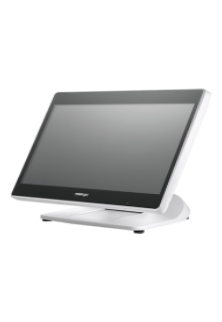
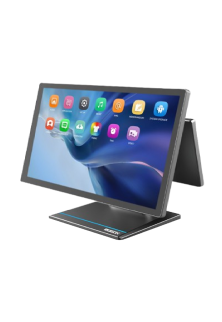
For businesses evaluating these workflows, QPOS sweet shop billing software is a useful place to explore billing and POS hardware options.
2. Inventory Management: What's Actually Left in Stock?
Your sales counter says there are five kilograms of rasgulla available.
The kitchen says three.
And somehow, both are confident they’re right.
This happens when production, sales, wastage, and stock adjustments aren’t recorded consistently.
How a POS system helps
Suitable inventory management software for sweet shop operations can help maintain stock records and compare recorded quantities with physical stock.
However, there’s an important difference between tracking finished sweets and tracking ingredients.
Selling one kilogram of laddoo doesn’t automatically deduct the correct quantities of besan, sugar, and ghee unless the software supports recipe-based inventory calculations.
So, before choosing a POS system, check whether it can track finished-product stock, record wastage, manage stock adjustments, and handle ingredient-level inventory if your business needs it.
The idea isn’t just to know how much stock you have. It’s to understand where the differences come from.
3. Perishable Sweets: Yesterday's Stock Is Today's Problem
Not every sweet has the same shelf life.
Milk-based sweets and other perishable products need appropriate storage, handling, and freshness controls.
FSSAI guidance on traditional milk products highlights the importance of food safety and suitable handling practices.
That makes freshness tracking an operational priority.
How a POS system helps
Software with suitable batch-level inventory functionality can help employees record production dates, identify batches, and review products approaching their recorded best-before dates.
But here’s the catch: not every POS system supports batch tracking or expiry alerts.
If these features are important to your business, confirm their availability before purchasing.
And remember, software doesn’t determine whether a sweet is safe to sell. Proper storage, handling, and food-safety procedures remain essential.
For additional guidance on food safety and handling, refer to the FSSAI’s Guidance Note on Safety and Quality of Traditional Milk Products.
4. Festival Rush: When Billing Becomes the Bottleneck
During Diwali, Raksha Bandhan, and other celebrations, customers aren’t always buying individual sweets.
They’re ordering assorted boxes, bulk quantities, and gifts for entire offices.
The challenge isn’t just billing faster. It’s keeping those orders organised.
How a POS system helps
A suitable POS system can help organise product billing, quantities, discounts, and order records.
For mixed sweet boxes, though, there’s another detail to consider.
If a box contains kaju katli, laddoo, and Mysore pak, does the software treat it as one product, or can it also account for the individual sweets inside the box?
That distinction matters when you want the inventory records to reflect what was actually sold.
Before the festive rush begins, test the billing system with realistic transactions, including weight-based sales, assorted boxes, bulk orders, and discounts.
After all, almost every billing system looks fast with nobody on the line.
5. GST Billing: Getting the Details Right
Nobody wants to discover a billing error while reconciling accounts.
India’s GST rules specify the information required on applicable tax invoices, including product descriptions, quantities, values, and tax particulars.
How a POS system helps
Properly configured Restaurant Billing Software in India can generate invoices using the product and tax information entered into the system.
However, correct tax treatment still depends on accurate product classification, applicable GST rules, and the circumstances of the business.
POS software supports the process. It doesn’t replace tax advice or automatically guarantee compliance.
Before choosing a billing system, check whether it can accommodate your invoicing requirements and applicable tax settings.
For the applicable requirements, refer to Section 31 of the CGST Act and Rule 46 of the CGST Rules, which cover tax invoices and their prescribed particulars.
6. Multiple Outlets: One Business, Different Numbers
Managing one mithai shop is demanding enough.
Add three more outlets, and suddenly you’re comparing sales figures, stock levels, and employee updates from four locations.
The challenge? Getting a clear picture of the entire business without checking every outlet separately.
How a POS system helps
A multi-outlet restaurant POS platform can bring information from different locations into a shared reporting environment.
Depending on the available features, owners may be able to compare outlet-wise sales, review inventory records, and monitor business performance.
But don’t assume every system supports every requirement.
If you’re managing multiple sweet shops, check whether the software supports separate outlet records, stock transfers, employee permissions, and the reports you need.
This is where a restaurant billing and management system may also be worth exploring for businesses planning to expand beyond a single counter.
Frequently Asked Questions
Can sweet shop billing software manage sweets sold by weight and by piece?
For example, kaju katli might be sold by weight while a packaged gift box is sold as one unit.
Before purchasing, test fractional quantities, pricing changes, discounts, and receipt formatting. If you use an electronic weighing scale, confirm whether it connects directly to the POS or requires manual entry.
Can a POS system track ingredients used to prepare sweets?
Ingredient tracking requires recipes or bills of materials that connect finished products to raw materials.
For example, producing a batch of laddoo should account for the relevant ingredients, while sales reduce the finished-product quantity.
Ask the provider to demonstrate both processes separately.
How can sweet shops reduce wastage using inventory software?
For example, if a particular sweet repeatedly remains unsold on weekdays, historical sales data can help inform future production planning.
However, reducing wastage also requires accurate stock entries, appropriate batch handling, and coordination between the kitchen and sales counter.
Can one POS system manage multiple sweet shop outlets?
The important questions are whether owners can compare outlet-wise sales, monitor inventory separately, and manage permissions for different employees.
Also verify how stock transfers are recorded and what happens when an outlet loses internet connectivity.
Does sweet shop billing software automatically ensure GST compliance?
Businesses should confirm applicable GST requirements with a qualified tax professional and ensure the software can accommodate their invoicing needs.
What should I check before buying sweet shop billing software?
Ask the provider to demonstrate the features you actually need, especially weight-based billing, assorted boxes, stock adjustments, and multi-outlet reporting where relevant.
What Should Sweet Shop Owners Look for in Billing Software?
Honestly?
If you’re a sweet shop owner, don’t feel the rush to get billing software.
If you’re getting by with your current setup, then continue doing so.
Only when your workflow starts getting affected do you need to sit down and evaluate whether billing software is necessary.
But once you’re sure of the need, you should start exploring the options available in the market.
Here’s what I’d check before making a decision:
- Billing: Can the software handle your products, quantities, and pricing structure?
- Weighing scale: If you use one, does the software support direct integration or manual weight entry?
- Inventory: Can it track finished sweets, ingredients, or both, depending on your needs?
- Wastage: Can you record stock adjustments and wastage if required?
- Festival orders: Can it handle assorted boxes, bulk orders, and your usual billing workflow?
- GST invoices: Can it be configured for your invoicing requirements?
- Multiple outlets: Can you manage outlet-wise sales and stock if your business operates at several locations?
- Support: Will you get the training and technical assistance you need?
How QPOS Can Help Sweet Shops Manage Daily Operations
If you’re looking to simplify sweet shop billing and stock management, QPOS is one option worth exploring.
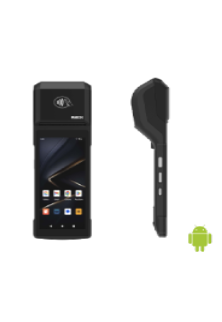
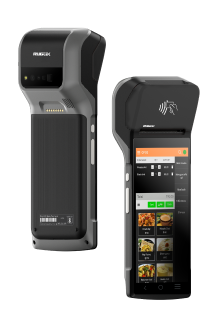
QPOS promotes quick billing, stock management, Swiggy and Zomato integration, remote monitoring, franchise management, and POS hardware options.
The right setup depends on your business requirements, so confirm the availability of any specific functionality you need, including weighing-scale integration, recipe-based inventory, or batch-level tracking.
Sources
- Food Safety and Standards Authority of India (FSSAI): Guidance Note on Safety and Quality of Traditional Milk Products, covering food safety, handling, and relevant shelf-life considerations.
- Central Board of Indirect Taxes and Customs (CBIC): Official GST portal, including the applicable tax-invoice provisions under the CGST Act and Rules.
About Authour

Stephen Athokpam is a POS Software and Retail Systems Specialist at QPOS.
He writes on cloud POS, Swiggy/Zomato integration, and checkout automation.