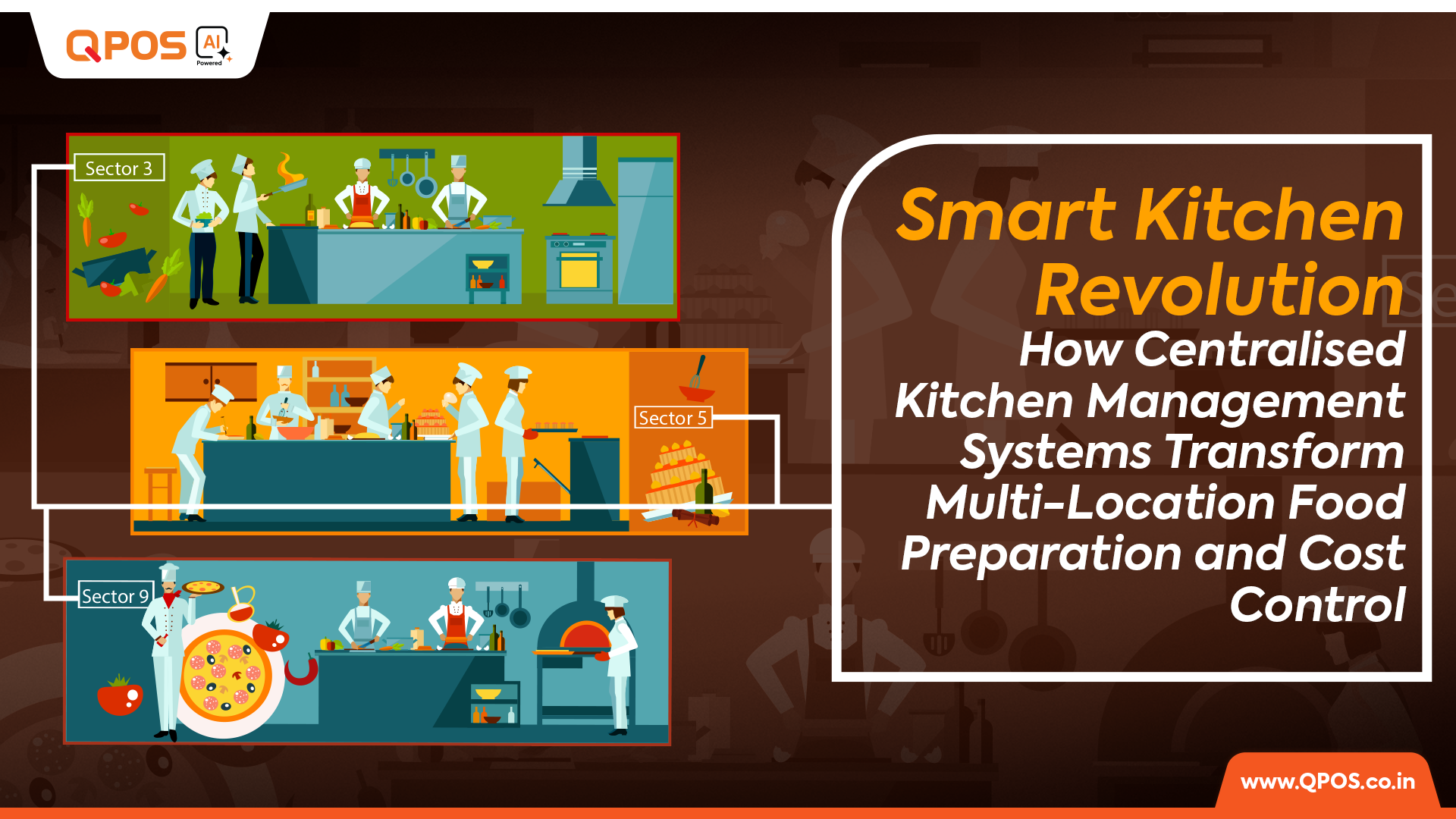
Smart Kitchen Revolution- How Centralised Kitchen Management Systems Transform Multi-Location Food Preparation and Cost Control

Centrally handling food inventory management systems across locations with correct business data is next to impossible without a centralised kitchen management system, also known as restaurant ERP. This is because, unlike standalone, non-cloud billing and operations management software, integrated ERPs don’t depend on manual data entry. Automating the data collection process reduces the risk of erroneous or fraudulent data, thus improving the overall inventory cost or ROI on the inventory. 

Among other benefits of centralised kitchen management systems for restaurant chains, quality control is another key advantage because it directly impacts the taste and safety of the food served. 

Setting the Scene: Why A Robust Food Inventory Management System Is Vital for Restaurant Chain Success

Thorough inventory management ensures that the supply and demand of ingredients are matched, so that customers are not disappointed by stockouts.  

Preventing overstocking and inventory theft are also priorities during procurement planning. Unused inventory, particularly perishables, can rot, thus leading to revenue leakage—as does stolen inventory. 

It is worth noting that partial spoilage due to overstocking is also a cause of potential loss because it affects the quality of the ingredients. Given that food safety and taste impact customer satisfaction, they are important factors behind the franchise’s profitability. 

In other words, quality control and inventory planning are interlinked factors that affect the business’s bottom line, and both ultimately boil down to data integrity. 

So, what’s the solution to this domino effect? 

The answer is a robust centralised kitchen management system! 

In this blog, we will analyse how centralised kitchen management systems or restaurant ERPs like QPOS ERP help in these two important aspects of restaurant operations management: 

  • Inventory cost control through improved inventory planning and shrinkage control 
  • Ensuring adherence to food safety and internal quality standards 

Let’s dive right in! 

Leveraging Food Inventory Management Systems for Avoiding Stockouts

By crunching historical data, centralised inventory management systems, such as QPOS, use their Analytics module to forecast trends—the first key step in inventory planning. 

However, for precise procurement orders, the decision-makers are also tasked with determining the current inventory levels by conducting inventory audits, which are similar to inventory logging and inventory tracking. Let’s learn about how the three

What is the Role of the Food Inventory Management System in Quality Inventory Audits, Logging, & Tracking?

When inventory arrives at the restaurant facilities, the staff should be mandated to weigh it on POS scales, which can automatically help the ERP register the weight of the procurement. Hence, at the beginning of the inventory cycle, the business owner(s) have precise information about the inventory levels, which ideally accounts for both existing and newly acquired inventory.  

Similarly, when inventory is taken out of the pantry for food preparation, the kitchen staff must use the POS scales before using the ingredients. Automating inventory logging in this manner not only eliminates errors caused during manual entry but also minimizes fraudulent entries, which is one of the steps in the restaurant workflow where theft-driven shrinkage occurs. 

Gamification of Customer Engagement Using Restaurant ERP Solutions

Modern loyalty programs enabled by CRMs often leverage gamified engagement opportunities such as digital or social media challenges to increase brand recall, which, in other words, means keeping the restaurant chain at the top of the customer’s mind. 

Constant Realignment Based on Engagement for Customer Loyalty: ERP for Restaurants with CRM Integration

By evaluating customer experience through feedback and the conversion of promotions, among other strategies, integrated CRMs—particularly those with AI capabilities—can offer smart suggestions for better engagement. 

How Do Restaurant Owners Discover the Inventory Levels?

During inventory audits, both used and unused batches are checked for quality and weighed using the POS scale. This process weeds out spoilage, ensuring food safety and adherence to the quality of the preparations. 

Depending on the ingredient quality discovered during audits, the staff can reposition batches to ensure that the one likely to spoil faster is used swiftly. Generally, to determine the order of using inventory batches, the rule of thumb is FIFO: First In, First Out. 

Further, a key step during quality inspection is reporting the estimated quantity of spoilage. Thanks to CCTV cameras and the Analytics module of the centralised kitchen management system, unusual spoilage entries can be spotted, triggering an investigation into whether the staff have been misreporting spoilage to steal. 

When the management insists on frequent audits, they can plan inventory accordingly and also be updated, at least on the estimated inventory levels, when the new batch of ingredients arrives. Also, by logging the inventory use and measuring the new batches upon procurement, with the inventory level tracked during audits, the Analytics module of centralised kitchen management systems like QPOS ERP can calculate the net shrinkage in a given time. 

Additional Benefits of QPOS ERP: The Ultimate Centralised Kitchen Management Systems For Restaurant Chains

In addition to supporting quality and shrinkage control, inventory planning, logging, and audits, there is another benefit of centralised kitchen management systems for restaurant chains, including QPOS ERP. The following scenario explains one of the most important use cases of QPOS’s AI capabilities: 

In our recent blog, Restaurant Fraud Exposed: How Enterprise Chains Lose Revenue, and the 360° Protection Cloud-Based ERP Systems Provide, we discussed how ERPs act as a preventive measure against vendors and staff members colluding to overcharge the business. This is especially true in restaurant franchises due to the frequent absence of key stakeholders on the outlet premises. 

In this regard, users can leverage one of the AI capabilities of QPOS ERP, OCR (Optical Character Recognition), to extract text from images/ scanned copies of vendor POs. The parsed text can be used to verify the inventory procured and detect any fraud in the vendor’s invoice. 

Another way to minimise spoilage-induced shrinkage is to utilise ingredients nearing expiry in specials. QPOS ERP’s Recipe Management module can prove vital for improvising specials. 

Curious to know more about food inventory management systems and other ERP modules? Contact us now, and our executives will reach out to you soon! 

QPOS Brochure
All-in-one POS solution for your restaurant or retail business
QPOS Brochure
All-in-one POS solution for your restaurant or retail business
QPOS Brochure
All-in-one POS solution for your restaurant or retail business
QPOS Brochure
All-in-one POS solution for your restaurant or retail business
QPOS Brochure
All-in-one POS solution for your restaurant or retail business
QPOS Brochure
All-in-one POS solution for your restaurant or retail business
QPOS Brochure
All-in-one POS solution for your restaurant or retail business
QPOS Brochure
All-in-one POS solution for your restaurant or retail business
QPOS Brochure
All-in-one POS solution for your restaurant or retail business
QPOS Brochure
All-in-one POS solution for your restaurant or retail business
QPOS Brochure
All-in-one POS solution for your restaurant or retail business
QPOS Brochure
All-in-one POS solution for your restaurant or retail business
QPOS Brochure
All-in-one POS solution for your restaurant or retail business
QPOS Brochure
All-in-one POS solution for your restaurant or retail business
QPOS Brochure
All-in-one POS solution for your restaurant or retail business
QPOS Brochure
All-in-one POS solution for your restaurant or retail business
QPOS Brochure
All-in-one POS solution for your restaurant or retail business
QPOS Brochure
All-in-one POS solution for your restaurant or retail business
QPOS Brochure
All-in-one POS solution for your restaurant or retail business
QPOS Brochure
All-in-one POS solution for your restaurant or retail business
QPOS Brochure
All-in-one POS solution for your restaurant or retail business
QPOS Brochure
All-in-one POS solution for your restaurant or retail business
QPOS Brochure
All-in-one POS solution for your restaurant or retail business
QPOS Brochure
All-in-one POS solution for your restaurant or retail business
QPOS Brochure
All-in-one POS solution for your restaurant or retail business
QPOS Brochure
All-in-one POS solution for your restaurant or retail business
QPOS Brochure
All-in-one POS solution for your restaurant or retail business
QPOS Brochure
All-in-one POS solution for your restaurant or retail business
QPOS Brochure
All-in-one POS solution for your restaurant or retail business
QPOS Brochure
All-in-one POS solution for your restaurant or retail business
QPOS Brochure
All-in-one POS solution for your restaurant or retail business
QPOS Brochure
All-in-one POS solution for your restaurant or retail business
QPOS Brochure
All-in-one POS solution for your restaurant or retail business
QPOS Brochure
All-in-one POS solution for your restaurant or retail business
QPOS Brochure
All-in-one POS solution for your restaurant or retail business
QPOS Brochure
All-in-one POS solution for your restaurant or retail business
Get in touch
Fill the form to open New Franchise
Get in touch
Fill the form to open New Franchise
Get in touch
Fill the form to open New Franchise
Get in touch
Fill the form to open New Franchise
Get in touch
Fill the form to open New Franchise
Get in touch
Fill the form to open New Franchise
Get in touch
Fill the form to open New Franchise
Get in touch
Fill the form to open New Franchise
Get in touch
Fill the form to open New Franchise
Get in touch
Fill the form to open New Franchise
QPOS Brochure
All-in-one POS solution for your restaurant or retail business
QPOS Brochure
All-in-one POS solution for your restaurant or retail business
QPOS Brochure
All-in-one POS solution for your restaurant or retail business
QPOS Brochure
All-in-one POS solution for your restaurant or retail business
QPOS Brochure
All-in-one POS solution for your restaurant or retail business
QPOS Brochure
All-in-one POS solution for your restaurant or retail business

PS 3616 G2 White

Intel Elkhart Lake Celeron J6412, up to 2.60 GHz, 1.5M Cache
DDR4 SO-DIMM x 1, max. 16GB
M.2 connector (SATA Signal Only) x 1
Windows 10 IoT 64 bits
VGA x 1, 12V support for Posiflex monitors
1, control 2 CR via optional Y-cable, supporting 24V cash drawer
MSR; iButton; RFID; Fingerprint Sensor; KeypadNon-touch TFT USB LCD: 7"/9.7"
5, USB 3.0 x 2+ USB 2.0 x 2 (on I/O plate) + USB 2.0 x 1 (on the top)

RTP-4

ARM Cortex-A55, Quad-Core 2.0GHz
Android 13
4GB RAM + 64GB ROM
8GB RAM + 128GB ROM (optional)
2 × USB3.0 + 3 × USB2.0
15.6" HD 1366×768
15.6" FHD 1920×1080 (optional)
Capacitive Multi-Touch Screen
10.1" 1024×600 (optional)
6 × USB
1 × Headset Jack
Interface 1 × φ5.5mm DC Jack
Power key
Tone, Power indicator
2 × Speaker (2W)
380mm × 186mm × 288mm
Ethernet TCP/IP 1000M
2.4 & 5GHz dual-band Wi-Fi
Power Adapter (12V 4A) × 1
Face Recognition Camera
MSR
NFC

Rp -i1H

Cortex-A53 Octa-core 2.3GHz
Android 14
3GB RAM + 32GB ROM
1 x Micro SD Card (up to 128GB)
5.5" HD+, IPS 720×1440
Industrial grade Capacitive Touch Screen
Removable Lithium Battery, 7.7V / 3000mAh
157.8×75.5×17.3mm
345g (with battery)
1 × Type C, USB 2.0, Support OTG With Rubber Plug
1 × Power Key, 1 × Volume + / Scan Key, 1 × Volume - Key
Speaker
Built-in 58mm Thermal Printer
Print Speed: 80mm/s
Paper Roll: Φ40mm
1D and 2D Barcodes Reader (optional)
Newland CM30
Rear 5MP AF Camera, With Flash LED, Support 1D / 2D
Support ISO15693, ISO14443A/B, Mifare card, Felica card
FDD-LTE: B1 / B2 / B3 / B4 / B5 / B7 / B8 / B20 / B28
BT5.3 + BR/EDR + BLE
GPS L1, GLONASS
5%~95% RH (No condensation)
Power Adaptor ×1, USB Cable ×1, Battery ×1
Hand strap, Protective Case, Protector Film

Rp -6s

Android 7.1 OS
5.99” IPS PCAP – 1440×720
Quad Core Snapdragon A-53, 1.4Ghz
16 GB Storage
2GB System Memory
True-flat PCAP touch function with multi-touch support
215.2 x 83 x 17(mm) in Dimensions
360 Grams in weight without receipt roll
Built-in NFC | Wi-Fi | Bluetooth | GPS | GSM
Built-in 2“Detachable Built-in Printer w/auto cutter, 203 mm/sec
1D, 2D, Matrix & QR code Scanner
5MP Camera with Manual & AF
USB C | USB Port | OTG USB | 4G/LTE | CR Port | LAN Port
Base Cradle or Power adaptor
Full charge in 4 hours.
Standby Time 10 Days

Rp -15

Android OS (Version 9.0)
15.6” FHD – 1920×1080 - Capacitive multitouch screen
Kryo 260, Octa Core 2.2 GHz
4GB RAM
64 GB ROM
Dimension 430 * 382 * 215 mm
Weight 4.5 kg
Colourful RBG TFT Screen, 16:9 wide screen image format
Wi-Fi 2.4G/5.0GHz IEEE 802.11 a/b/g/n/ac
Bluetooth BT BLE 5.0
Operating Temperature 0°C - 50°C, 20%RH - 90%RH (Equipped with SSD)
Storage Temperature -20°C ~ 60°C
12KV Electrostatic Protection
USB Port | CR Port | LAN Port | Serial Port | UPS Port | Mini USG OTG | TF Slot

HS-2414A

Android 7.1 OS
14” TFT LCD Display – 1366×768
IP65 on front panel
Quad Core Processor, 1.20GHz
16 GB Storage
2GB System Memory DDR3
24V/60W Power Supply
True-flat PCAP touch function with multi-touch support
371.5 x 198 x 473(mm) in Dimensions
5.8 Kg in weight
Built-in MSR | RFID Reader | Wi-Fi
Built-in 3" Detachable Built-in Printer w/auto cutter, 250 mm/sec
2D Barcode Scanner
Fingerprint Sensor
USB Port | OTG USB | 4G/LTE | CR Port | LAN Port | Serial Port | UPS Port | Display Port.

Allen Roy

Work Experience – 4 Years

Freelance Photographer

Photographer’s Assistant

Education
Bachelor of Art in Digital Photography
University of San Francisco

Allen Roy

Work Experience – 4 Years

Freelance Photographer

Photographer’s Assistant

Education
Bachelor of Art in Digital Photography
University of San Francisco