
Restaurant Billing Software Price: What You Should Know Before Choosing a POS System?
Written by: Stephen Athokpam, POS Software and Retail Systems Specialist , QPOS
Published: 24 August 2026
Table of Contents
Choosing the right restaurant billing software is an important decision for any food business. A reliable POS system should do more than generate bills. It should help manage orders, tables, KOTs, inventory, payments, sales reports and day-to-day restaurant operations from one place.
When comparing a Restaurant POS System, one of the first questions restaurant owners ask is: What is the restaurant billing software price?
However, the software price alone should not determine your decision. The features included, renewal terms, number of users, outlets, hardware requirements, support and scalability can all affect the overall investment.
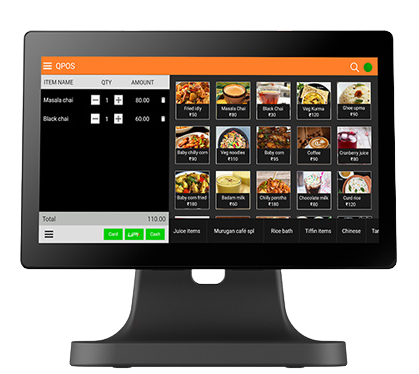
QPOS Restaurant Billing Software is designed to help restaurants simplify billing and manage their daily operations through an integrated POS solution.
Restaurant Billing Software Price
The price of restaurant billing software can vary depending on the features and requirements of your business.
With QPOS, the overall pricing can depend on factors such as:
- Number of POS terminals
- Number of users
- Number of restaurant outlets
- Required features
- Inventory requirements
- Kitchen management requirements
- Online ordering requirements
- Hardware requirements
- Additional integrations
- Support and service requirements
- This approach allows restaurants to choose a solution based on their actual operational needs instead of paying for unnecessary features.
What Does QPOS Restaurant Billing Software Include?
QPOS can help restaurants manage several important operations through a single POS environment.
Key capabilities can include:
| Feature | How It Helps Your Restaurant |
|---|---|
| Restaurant Billing | Generate accurate bills and manage payments efficiently |
| GST Billing | Create GST-compliant invoices |
| KOT Management | Send customer orders to the kitchen quickly |
| Table Management | Monitor table availability and order status |
| Inventory Management | Track stock and manage inventory more efficiently |
| Menu Management | Add, edit and manage menu items |
| Payment Management | Manage different payment methods |
| Sales Reports | Understand daily and periodic sales performance |
| Customer Management | Maintain useful customer information |
| Multi-Outlet Management | Manage multiple restaurant locations |
| Kitchen Management | Improve coordination between billing and kitchen staff |
The exact features available can depend on the QPOS solution and configuration selected for your business.
How Does QPOS Differ From Basic Billing Software?
Basic billing software is generally focused on creating invoices and recording payments.
A restaurant, however, needs much more than billing.
QPOS is designed around restaurant operations, not just billing.
As a Restaurant Billing Management System, it connects different parts of the business, including:
Order → KOT → Kitchen → Billing → Payment → Reporting
This can reduce manual work and make communication between the front office and kitchen more efficient.
For restaurant owners, this means the POS can become an operational tool rather than simply a billing application.
Who Can Use QPOS Restaurant Billing Software?
QPOS can be suitable for different types of food and hospitality businesses.
Restaurants
Dine-in restaurants can use POS features such as table management, KOT, billing, payments and reporting.
Cafés
Cafés can use QPOS to manage fast billing, menu items, payments and daily sales.
Quick-Service Restaurants
QSRs require fast order processing and billing. A Restaurant POS can help staff handle high order volumes more efficiently.
Bakeries
Bakeries can use billing, product management, inventory and sales reporting features to manage daily operations.
Cloud Kitchens
Cloud kitchens can benefit from centralized order, billing, kitchen and inventory management.
Food Courts
Food businesses operating in food courts can use POS billing and payment management for faster customer service.
Restaurant Chains
Businesses with multiple outlets can use centralized POS capabilities to monitor operations and sales across locations.
What Determines Restaurant Billing Software Price?
There are several factors that can influence the overall price of a restaurant POS system.
Number of Outlets
A single restaurant generally has different requirements from a business operating multiple outlets.
If you plan to expand, choose software that can scale with your business.
Number of POS Terminals
The number of billing counters or POS terminals required can influence the overall software and hardware setup.
Number of Users
Restaurants with multiple cashiers, waiters, managers and administrators may require different user access levels.
Features Required
A basic billing setup may require only billing and payment features.
A larger restaurant may require:
- Inventory management
- KOT
- Kitchen management
- Table management
- Customer management
- Advanced reports
- Multi-outlet management
- Online ordering
- Additional integrations
The more functionality your restaurant requires, the more important it becomes to select the right plan or configuration.
You can View QPOS Pricing Plans to see what fits your restaurant’s outlets, terminals, and feature needs.
Hardware
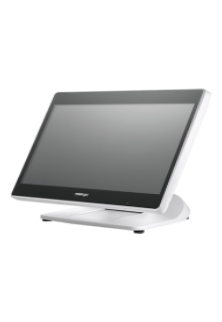
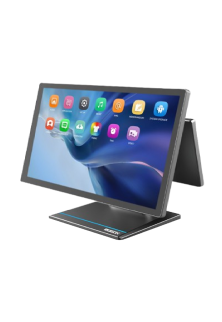
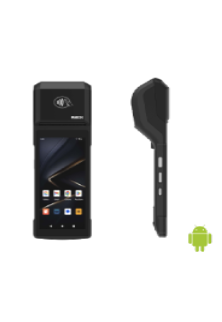
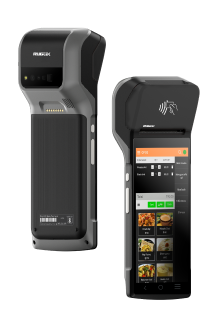
The total POS investment may also include hardware such as:
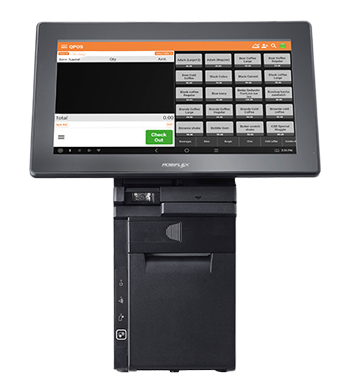
- POS terminal
- Touchscreen display
- Thermal printer
- Cash drawer
- Barcode scanner
- Kitchen printer
- Customer display
- Kitchen display
Therefore, always consider software + hardware + support when calculating your restaurant POS investment.
What Is the Renewal Term for QPOS?
Restaurant owners should understand the renewal terms before purchasing any POS software.
Depending on the QPOS plan or solution selected, the subscription or service period may have a specific renewal cycle.
Before subscribing, businesses should confirm:
- Subscription validity
- Renewal period
- Renewal charges
- Software updates
- Technical support
- Additional user charges
- Additional terminal charges
- Additional outlet charges
- Integration charges
Understanding these details in advance helps businesses plan their long-term POS expenses more effectively.
Why Is the Renewal Term Important?
The initial software cost is not the only expense to consider.
If you plan to use a POS system for several years, the renewal cost can have a significant impact on your overall investment.
For example, before choosing QPOS, a restaurant owner should understand:
Initial Cost → Subscription Period → Renewal → Support → Future Upgrades
A transparent pricing and renewal structure makes it easier for businesses to plan their technology budget.
Benefits of Using QPOS Restaurant Billing Software
1.Faster Billing
QPOS can help restaurant staff generate bills quickly, reducing waiting time during checkout.
2.Better Order Management
Orders can be managed more systematically from the point of entry through kitchen processing and billing.
3.Efficient KOT Management
KOT management helps communicate customer orders to the kitchen accurately and efficiently.
4.Improved Table Management
Restaurant staff can track table status and associate orders with the appropriate tables.
5. Better Inventory Control
Inventory functionality can help restaurant owners monitor stock and improve control over their resources.
6. Accurate Sales Reports
Restaurant owners can access sales information and use reports to understand business performance.
7. Reduced Manual Work
Automating billing, order management and reporting can reduce dependence on manual registers and calculations.
8. Better Customer Experience
Faster billing, accurate orders and efficient restaurant operations can contribute to a smoother customer experience.
9. Scalable for Business Growth
As your restaurant grows, your POS system should be able to support additional users, terminals and outlets
QPOS for Small and Large Restaurants
Every restaurant has different POS requirements.
A small café may need a simple setup for billing, payments and basic reports.
A busy QSR may require faster order processing, KOT and kitchen management.
A large restaurant may need table management, inventory, customer management and advanced reporting.
A restaurant chain may require multi-outlet management and centralized monitoring.
QPOS can be configured around the operational requirements of different restaurant businesses.
What Should You Ask Before Buying Restaurant Billing Software?
Before choosing a POS system, don’t ask only “What is the price?”
Also ask:
- What features are included?
- How long is the subscription valid?
- What is the renewal term?
- Are software updates included?
- Is technical support included?
- Can I add more users later?
- Can I add additional POS terminals?
- Can I manage multiple outlets?
- Is inventory management included?
- Is KOT management included?
- Can the system integrate with other platforms?
- What hardware is required?
- Are there additional charges for specific features?
These questions can help you understand the actual value of the POS system, rather than comparing software based only on its initial price.
Why Choose QPOS?
QPOS is designed to provide restaurants with a practical POS solution that brings essential restaurant operations together.
Instead of using separate systems for different tasks, QPOS can help businesses manage:
Billing | Orders | KOT | Tables | Inventory | Payments | Reports
This can help restaurant owners improve operational efficiency while giving them better visibility into their business.
Hence, Restaurant Billing Software Price is an important factor when choosing a POS system, but it should not be the only factor.
A restaurant should consider the complete solution — including features, usability, hardware, support, scalability and renewal terms.
Whether you operate a café, QSR, restaurant, bakery, cloud kitchen or multiple outlets, the right POS system can simplify everyday operations and help your business run more efficiently.
QPOS Restaurant Billing Software provides a solution designed to support restaurant billing and operational requirements from one platform.
Frequently Asked Questions
1. What is the price of restaurant billing software?
2. What features are included in QPOS restaurant billing software?
3. How does QPOS differ from basic billing software?
4. What is the renewal term for QPOS?
5. Can QPOS be used by cafés, QSRs, and cloud kitchens?
6. What hardware is required for a restaurant POS system?
7. What should I ask before buying restaurant billing software?
About Authour

Stephen Athokpam
Stephen Athokpam is a POS Software and Retail Systems Specialist at QPOS
with hands-on experience helping 2,000+ restaurants streamline billing, kitchen operations, and inventory.
He writes on cloud POS, Swiggy/Zomato integration, and checkout automation for QSRs, cafes, and restaurant chains across India.