QSR vs. Restaurant POS Software: What's the Difference (and Which Do You Need)?
Table of Contents
If you’ve searched for “restaurant POS system” and found results about fast-food counter software, you’re not alone. These two terms get mixed up a lot, even though they solve different problems.
This guide explains the real difference between QSR POS software and a restaurant POS system.
By the end, you’ll know exactly which one fits your business.
Quick answer:QSR POS software is built for speed. It handles fast counter billing and heavy delivery-app orders, but skips table management.
A restaurant POS system is built for table service. It handles table mapping, course timing, and split bills.
Pick based on how your customers order: at a counter, or at a table.
What is QSR POS Software?
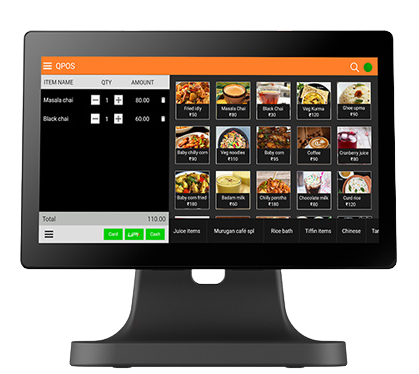
QSR POS software is a billing system made for quick-service restaurants. Think fast-food counters, cafés, food trucks, and cloud kitchens.
These businesses move fast, and they don’t use table service. Our QSR POS software page covers this in full detail.
Here’s what quick service restaurant pos software usually includes:
- Fast order entry and billing — built for busy rush hours
- Delivery app sync — connects directly to Swiggy and Zomato
- Livestock tracking — so you don’t run out of popular items
- Multi–outlet management—useful if you run a QSR chain or franchise
What is a Restaurant POS System?
A restaurant POS system is a broader term. It covers full-service and fine-dining restaurants where the dining experience matters more than speed.
These systems focus on the full meal, not just the transaction. Here’s what a restaurant POS system usually includes:
- Table and floor management — tracks which tables are free or busy
- Course-based ordering—sends starters, mains, and dessert to the kitchen at the right time
- Split billing—lets one table split the bill several ways
- Tableside ordering—waitstaff take orders and enter them into the system
What's the Difference Between QSR POS Software and a Restaurant POS System?
The biggest difference comes down to one thing: how the customer is served. QSR software is built around a counter. Restaurant software is built around a table.
Here’s a simple side-by-side view:
Factor | QSR POS Software | Restaurant POS System |
Main use | Fast counter billing | Full table-service dining |
Table management | Not needed | A core feature |
Order flow | Order, pay, then prepare | Order, serve in courses, then pay |
Delivery orders | A major focus | Present, but usually secondary |
Multiple outlets | Built in for chains | Available, but less common |
Best for | QSR chains, cafés, food trucks | Fine-dine, casual dining, bistros |
Is QSR POS Software the Same as Billing Software?
Not quite, and this mix-up is common. Billing software is a smaller tool. It creates invoices and takes payments, but that’s about all it does.
QSR POS software does more. It includes billing but also adds delivery-order sync, stock tracking, and multi-outlet control. So every QSR POS system includes billing, but not every billing tool counts as a full QSR POS system.
What Are the 5 Types of POS Systems for Restaurants?
Most POS systems fall into five broad types. Knowing these helps you see exactly where QSR software fits.
Terminal-based POS
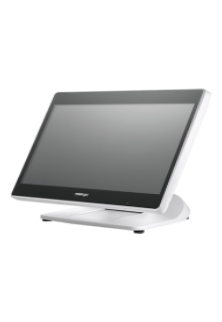
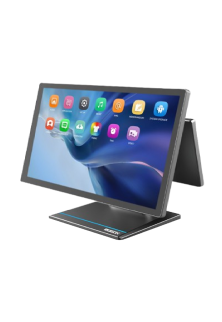
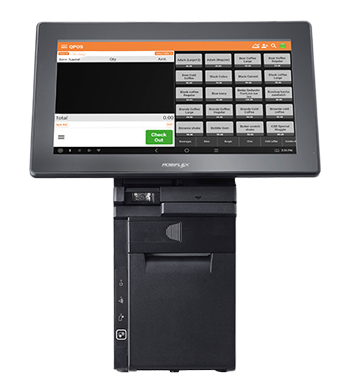
This is a fixed hardware terminal at the counter. It’s reliable, but it doesn’t move around easily.
Mobile or tablet POS
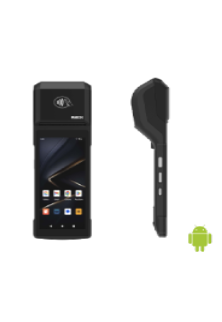
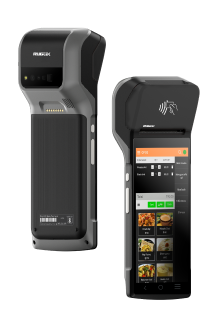
This runs on a tablet or handheld device. Staff can take orders away from a fixed counter, which is common in food trucks.
Cloud-based POS
This system runs online. Owners can check sales and stock from anywhere, which helps a lot with multiple outlets.
Self-service kiosk POS
Customers use a kiosk to order and pay on their own. This cuts down counter lines during busy hours.
Hybrid offline-cloud POS
This system saves data to the cloud, but keeps billing running even if the internet goes down. That matters a lot for a busy QSR counter.
Most QSR restaurants use a mix of these — usually a terminal or kiosk at the counter,backed by cloud or hybrid software behind the scenes.
Which POS System Do You Need: QSR Software or Restaurant POS?
Ask yourselfthese three simple questions:
- Docustomers order at a counter, or sit and get served? Counter service points to QSR software. Table service points to a restaurant POS system.
- Isspeed or dining experience more important to you? If fast turnaround matters most, QSR software fits better.
- Howmuch ofyour business comes from delivery apps? Heavy delivery volume favors QSR software’s stronger app integration.
A quick example: Say you run a 3-outlet fast-food chain, and 60% ofyour orders come through Swiggy and Zomato. You’d need fast billing, solid delivery sync, and one dashboard for all three outlets. That’s a clear case for QSR POS software.
If this sounds like your business, check out our QSR POS software page. You can also get a custom price quote based on your outlet count and hardware needs.
Is Zomato a QSR?
No, Zomato is a delivery aggregator, not a restaurant. It’s simply a platform that connects hungry customers to restaurants, including QSR chains.
Many QSR businesses get a lot oftheir orders through Zomato and Swiggy. That’s exactly why delivery-app integration is such a big deal in QSR POS software.
A related question people often ask: is KFC under QSR? Yes, KFC is a classic example ofa global quick-service restaurant chain. It’s built around fast counter service and a standard menu, which is exactly what QSR POS software is designed to support.
FAQ
Which POS system is best for restaurants?
There's no single best system for every restaurant. QSR POS software works well for fast, counter-service, delivery-heavy businesses. A restaurant POS system works better for table-service dining that needs course timing and floor management.
Is Zomato a QSR?
No. Zomato is a delivery aggregator app. Many QSR restaurants use it to get orders, but it isn't a restaurant itself.
What are 5 types ofPOS systems?
The five main types are terminal-based, mobile/tablet, cloud-based, self-service kiosk, and hybrid offline-cloud systems. Most QSRs use a mix of these.
Is KFC under QSR?
Yes. KFC is a well-known example ofa global quick-service restaurant chain, built around fast, standardized counter service.
Is QSR POS software the same as a restaurant POS system?
No. QSR POS software focuses on counter speed and delivery orders. A restaurant POS system focuses on table management and course-based service, which most QSRs don't need.
Can a QSR use a regular restaurant POS system instead?
It's possible, but you'd end up paying for table-management tools you won't use. You'd also miss out on the strong
delivery-app integration that QSR POS software offers.